Most project management tooling in the Dynamics 365 space sits at one of two extremes.
At one end you have the full enterprise Project Operations suite. Months to implement, fortune in licences, dedicated administrator just to keep it ticking over. At the other end you have Planner. (Or worse, a spreadsheet some project manager built in 2019, colour-coded within an inch of its life, that nobody has touched since.)
There’s nothing in the middle. I’ve worked on enough projects that hit one of those walls to know I wanted something else.
Proper data model. Real app. Portfolio and project tracking, RAID items, status reports, milestone visibility, effort logging. But built on a platform organisations already own, and deployable without a war.
The answer was Dataverse and Power Platform, plus a bit more custom build than I originally planned.
The core model
A model-driven app on Dataverse. The schema covers what a PMO function actually needs day to day:
- Portfolios and projects
- Tasks and milestones
- RAID items (risks, assumptions, issues, dependencies) and decisions
- Status reports and stakeholder records
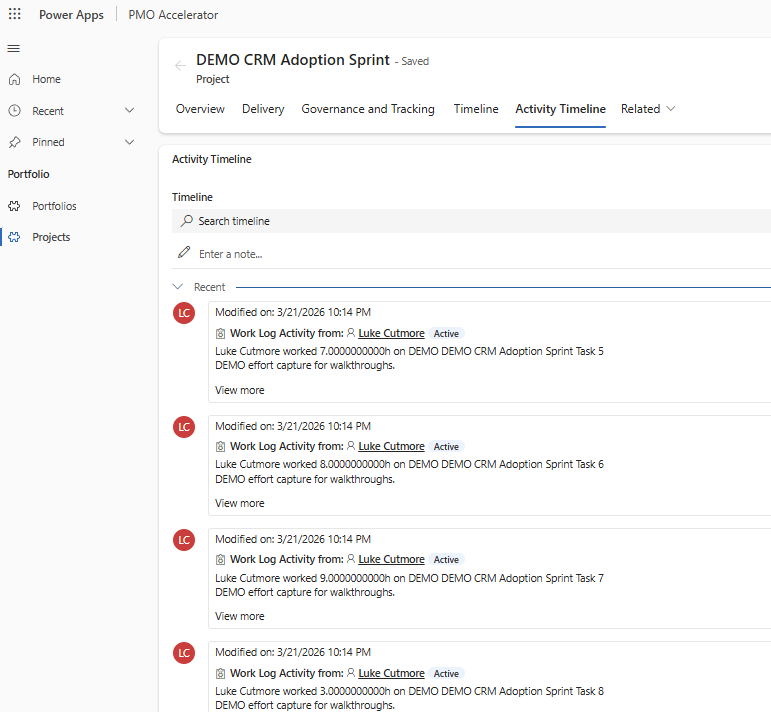
- Manual effort tracking
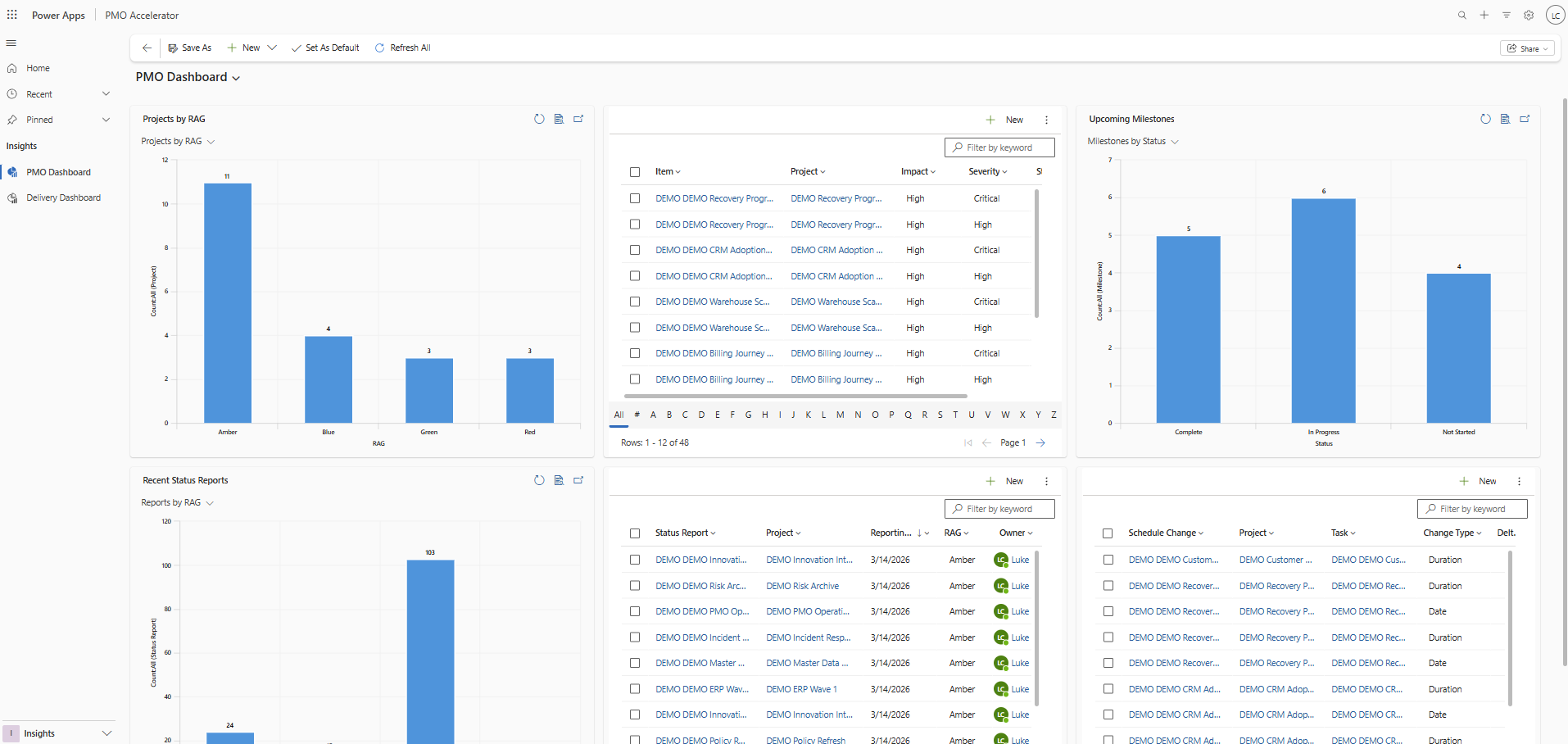
- Auditable schedule-change logging
All deployable to any tenant or environment with a few PowerShell scripts. Comes with a demo dataset because I need to actually show it off – twelve portfolios, twenty-four projects, over two hundred tasks, milestones, RAID items, status reports, and time entries. Enough to walk through a demo without inventing data on the fly.
The part I had to build from scratch
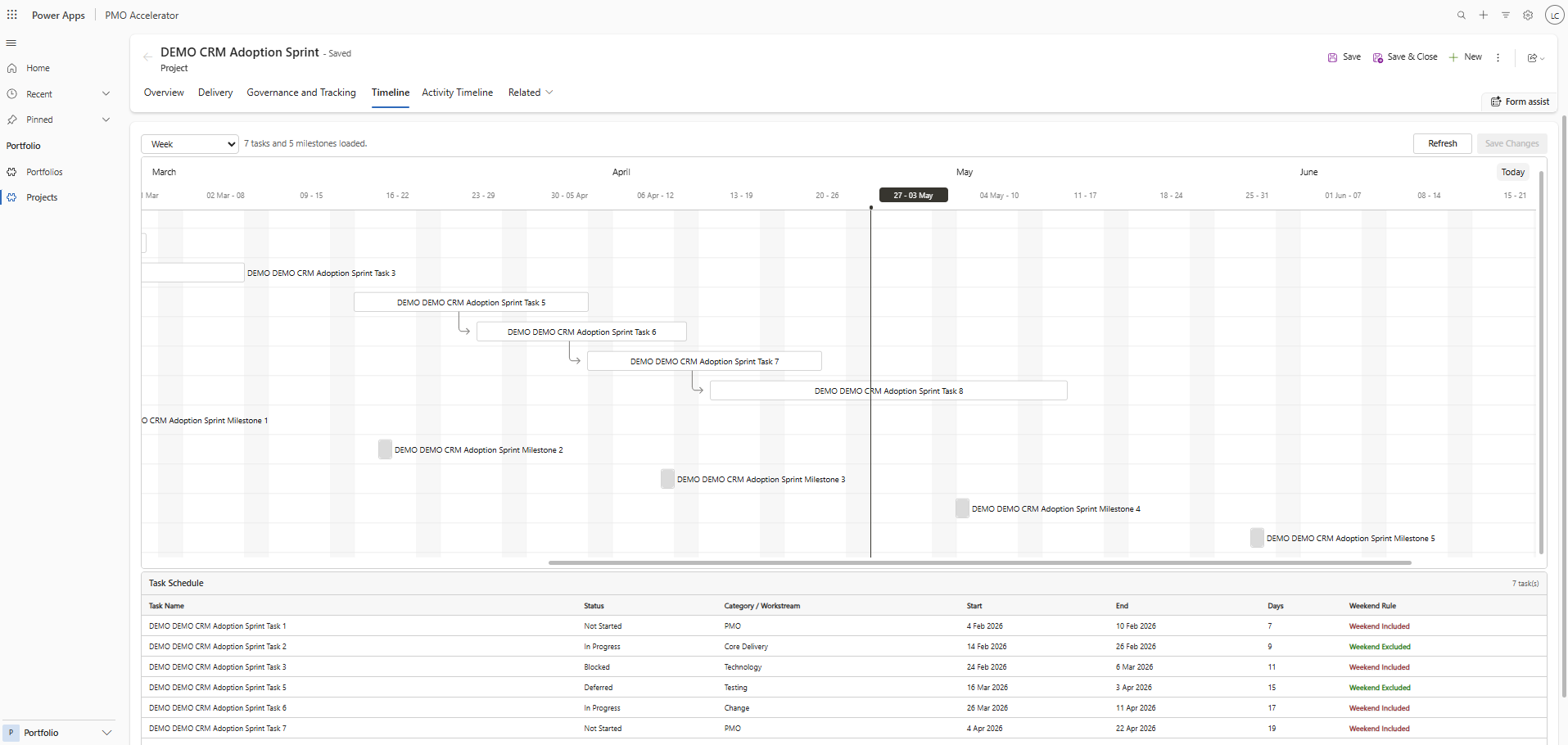
[IMAGE: a screenshot or stylised mockup of the embedded Gantt control inside a model-driven app form. Tasks, milestones, dependency lines, the side preview pane open. Should look genuinely embedded, not a separate tool.]
The piece native Dataverse does not give you is a proper Gantt timeline.
There are third-party controls. They tend to be expensive, locked to specific licensing tiers, or just not quite right. So I built one.
The timeline is a React PCF control (Power Apps Component Framework) embedded directly into the project main form. The rendering engine underneath is Frappe Gantt – MIT-licensed, compact, purpose-built for Gantt output. Wrapped it in a Fluent UI shell so it looks at home in a model-driven app.
The control reads tasks and milestones from Dataverse, renders them on the timeline, and supports three interaction modes:
- Single click opens a compact preview panel
- Double click opens the native model-driven side pane for full record editing
- Drag and resize stages local changes, which then commit with a Save Changes action
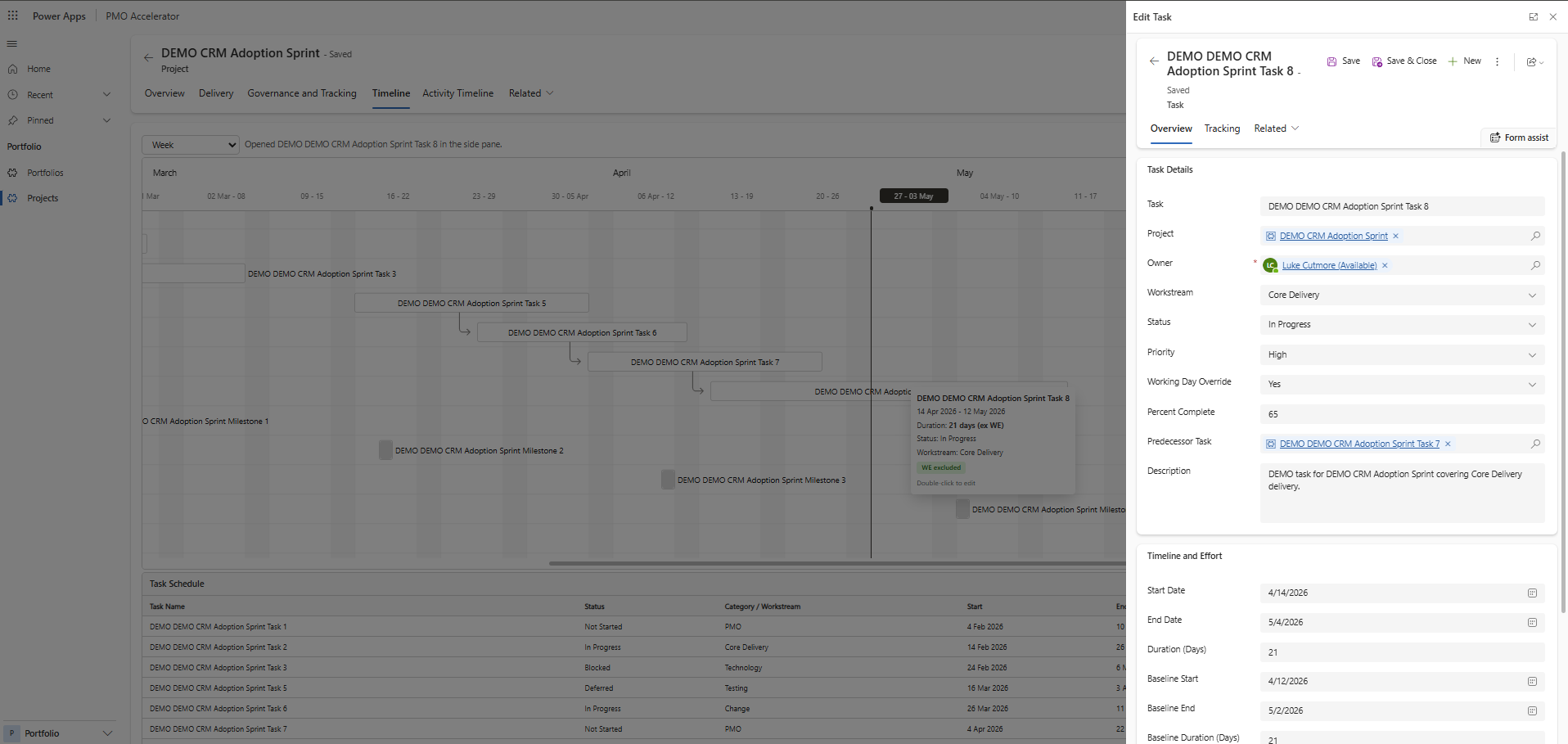
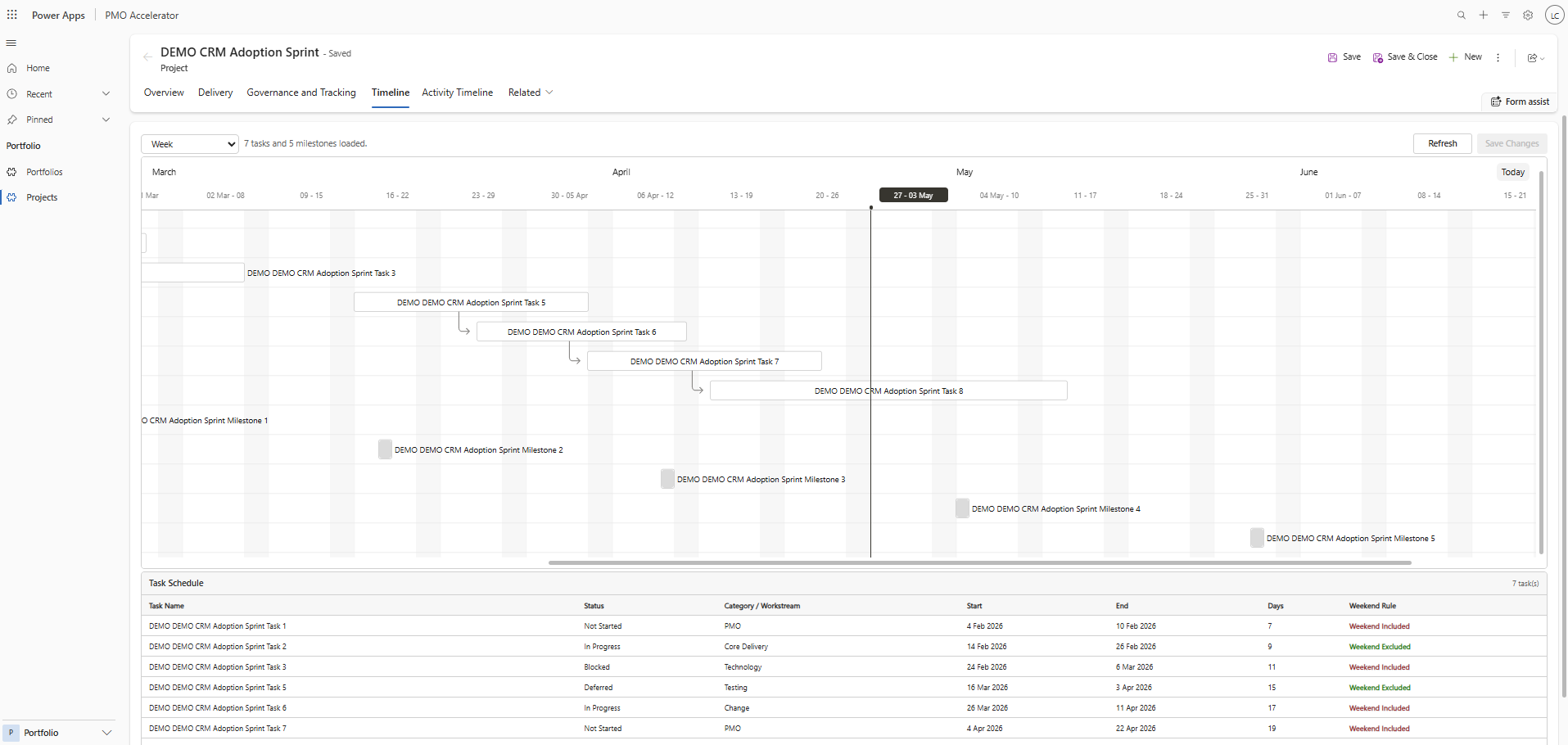
When you move a task, the control needs to decide what to do with downstream tasks. Three propagation modes: None (only update the selected task), Direct (shift immediate finish-to-start dependents), and Cascade (shift all downstream dependents recursively). The user picks the mode before saving.
Working-day logic is project-level by default, with a per-task override. When the cascade runs, each downstream task uses its OWN resolved working-day rule rather than inheriting the anchor task’s setting. Which matters when you have a mix of tasks that should and should not skip weekends.
What it intentionally does not do
The control does not implement bank holidays, custom calendars, critical path analysis, resource levelling, or automatic whole-plan optimisation. Those are all things a proper scheduling engine would handle. This is not a scheduling engine. It’s a visibility tool.
The propagation is user-triggered by design. The assumption is that the person moving a task knows what they are doing and wants control over the outcome. (Or wants somebody specific to blame when it goes sideways. Either way, fine.)
Deployment
The PCF control is built with npm and pushed into Dataverse with the PAC CLI. The solution package is built through a cdsproj file so the control is included when the solution zip is exported.
The whole install sequence – foundation, views, forms, charts, PCF push, solution package, import – takes about seventeen minutes from a fresh run with the installer script. Plus a few minutes of manual flow binding at the end.
It runs on any Dataverse environment. Set the environment URL, authenticate with PAC, run the installer. That’s the full setup.
Why bother?
Because most clients I talk to already have Power Platform licences sitting in their M365 estate. They are paying for Dataverse whether they use it or not.
Besides, I love doing this kinda thing.
A PMO tool that installs into an environment they already own, using a platform their IT team already manages, is a much easier conversation than another SaaS subscription. And it’s a proper tool. Not a glorified spreadsheet view. A real data model, real forms, a working Gantt chart, and automation for reminders and schedule-change logging built in from day one.(Update: I forgot to turn these off again so now I have 2500+ emails reminding me about non existent projects 🤭)
I’ve tried to keep it generic enough to drop into any client space. On top of the Gantt, I made the time entries against tasks proper activity-type records. So timelines, audit trails, and ownership all carry through the way they should.
It’s not Project Operations. It’s not meant to be. It’s the thing in the middle that I kept wanting and never finding.
So I built it.